Configuration and management of identity and access policy
Admins are responsible for ensuring that users are correctly mapped to their respective groups and roles before granting access to computing resources. The management of user identities and access rights is critical to maintaining the security and integrity of the infrastructure. This section outlines the primary Authentication and Authorization Infrastructures (AAI) integrated into any tenant or project a user is part of. Here are described:
EGI Check-in: The main proxy service for EGI resources.
Life Science AAI (LS AAI): The authentication infrastructure dedicated to the Life Science community
INDIGO IAM: The Identity and Access Management service (e.g., RECAS instance) for fine-grained authorization.
Warning
Always verify the user’s identity and their specific resource requirements via official communication channels before proceeding. Before granting, modifying or revoking access for any user within any system you must coordinate directly with the specific user requesting access.
EGI Check-in
The EGI Check-in service is used for federated authentication. Admins must ensure the appropriate Virtual Organization (VO) memberships are verified.
Warning
Human Ineraction needed: User groups and access permissions cannot be managed through the dashboard, you must coordinate with the EGI Check-in Team via email to finalize configuration. Refer to their official protocol.
EGI Check-in client
To use EGI Check-in on your bastion host, you must register a client to obtain a Client ID and Client Secret.
Visit the EGI Federation Registry to start the process.
These credentials must be inserted into the PAM module configuration file on your bastion host.
LS AAI
Specifically used for biological and medical research projects. Access policies here are often driven by project-specific attributes.
Warning
Human Interaction needed: Managing user groups and accessibility requires direct communication with the LS AAI Team, please follow the protocol outlined in the LS AAI Site.
For more informations contact their team at: support@aai.lifescience-ri.eu (Always verify details through their official channels for the latest updates).
LS AAI assign new groups
A brief look to the terminology used in this section:
Facility: Represents the physical or logical entity providing the service (e.g., a compute cluster or database).
Resource: An instance of a Facility assigned to a specific project or VO. It acts as the bridge between the service and the users.
Note
This guide outlines the workflow for service providers who are not yet Virtual Organization (VO) Managers. We will cover the lifecycle from registering a new Facility to the final assignment of user groups. If you are already an admin of one facility you can skip directly to writing to the support for group assignment.
To register a facility visit: LS AAI Service registration, an homepage like this will appear:
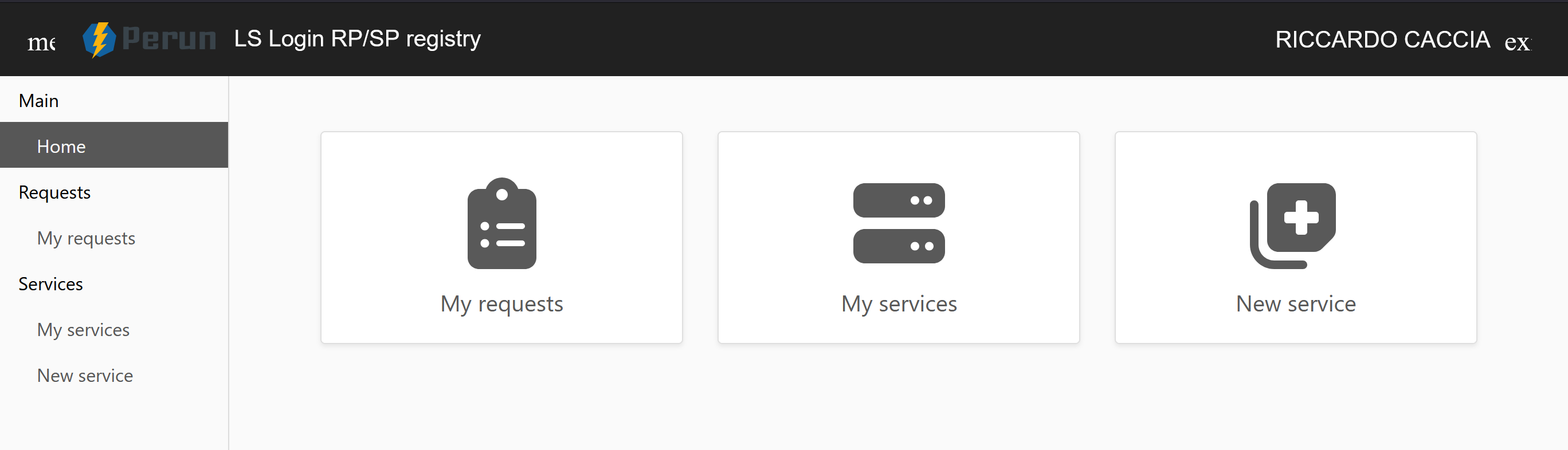
Select NEW SERVICE from the panel on the right:
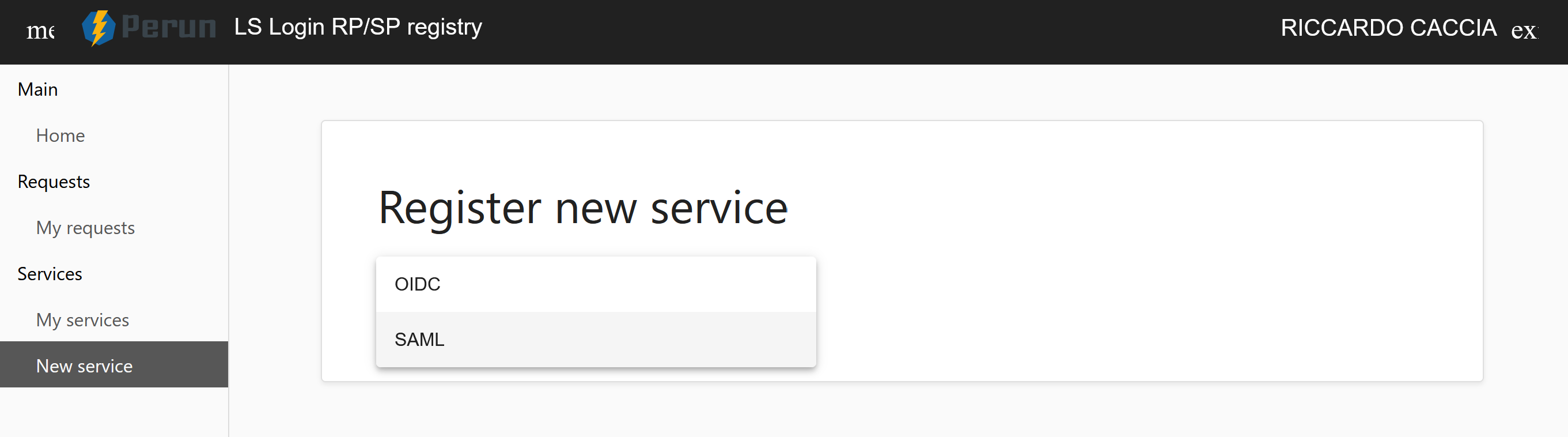
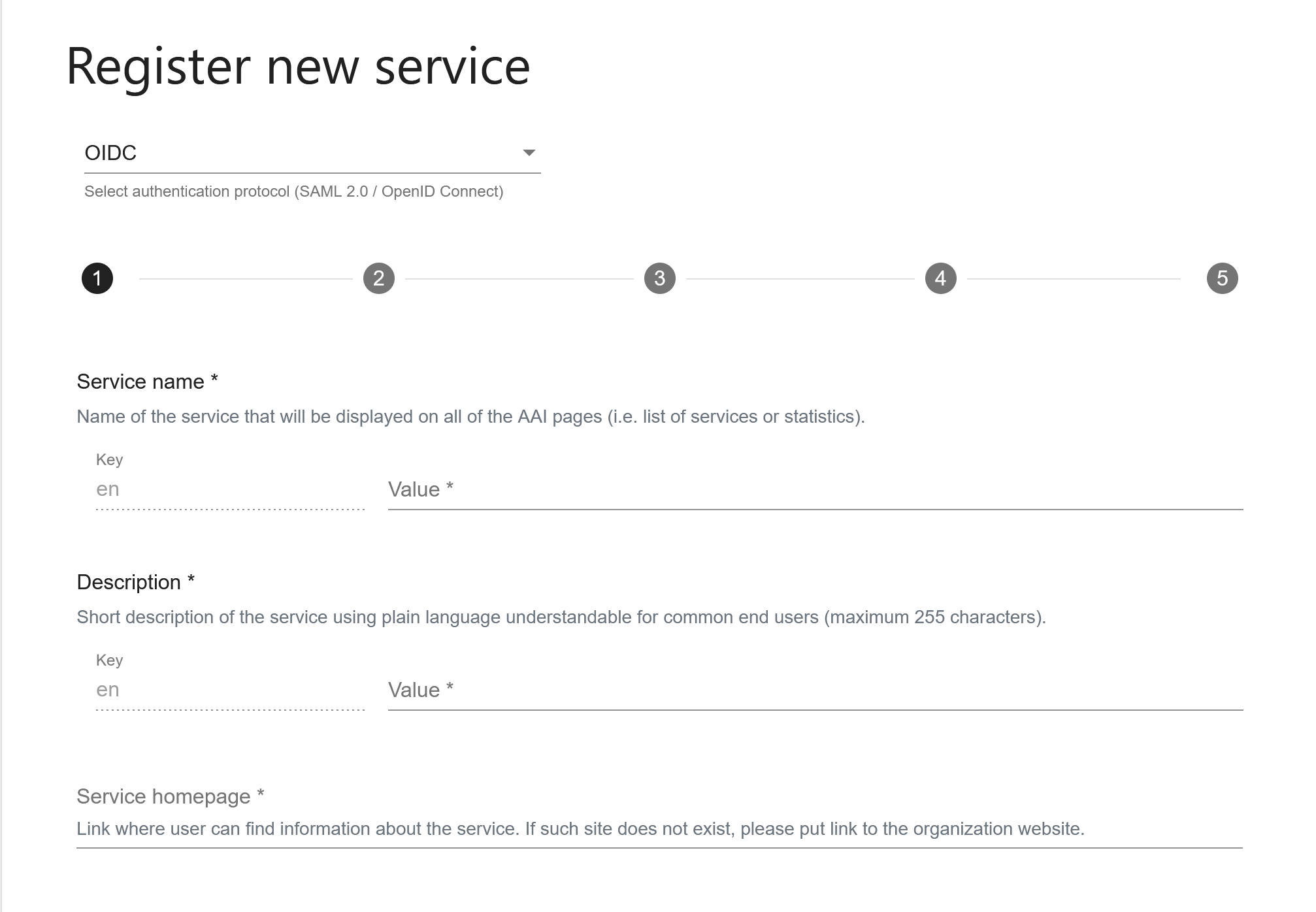
After selecting your preferred protocol (OIDC or SAML 2.0), complete the registration form:
Note
Ensure you have your technical metadata and administrative contact details ready to complete these fields.
Once registered, your service will appear in the LS AAI site under the name that you have chosen previously. Here a look to an example:
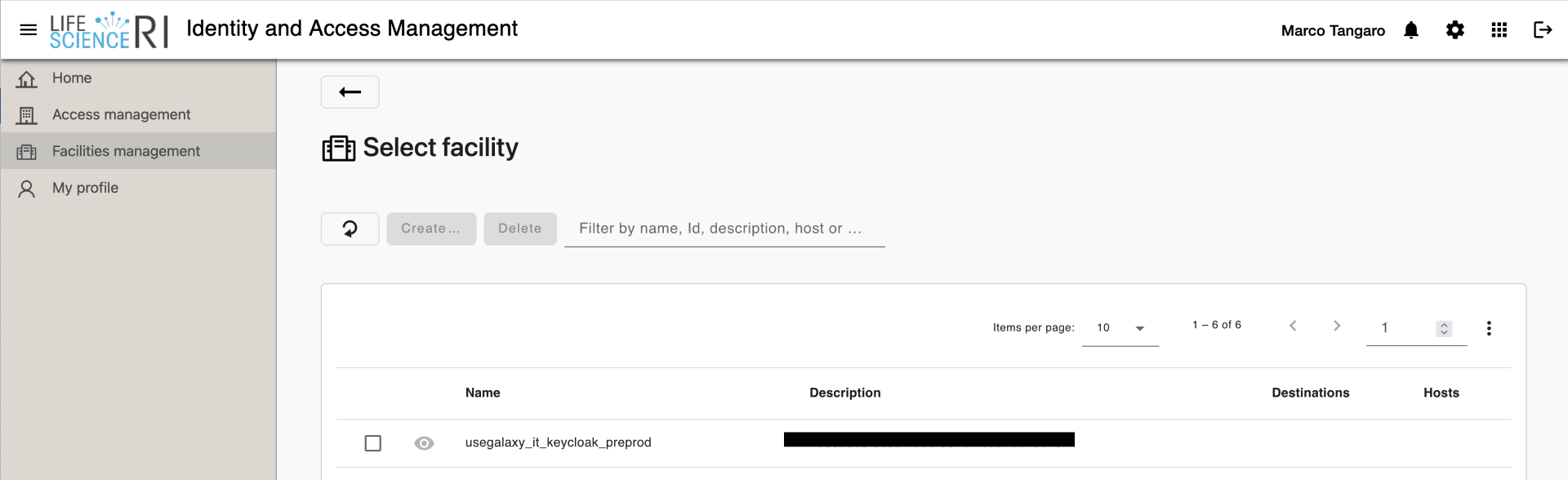
Clicking on your facility will redirect you to the Facility Management Center:
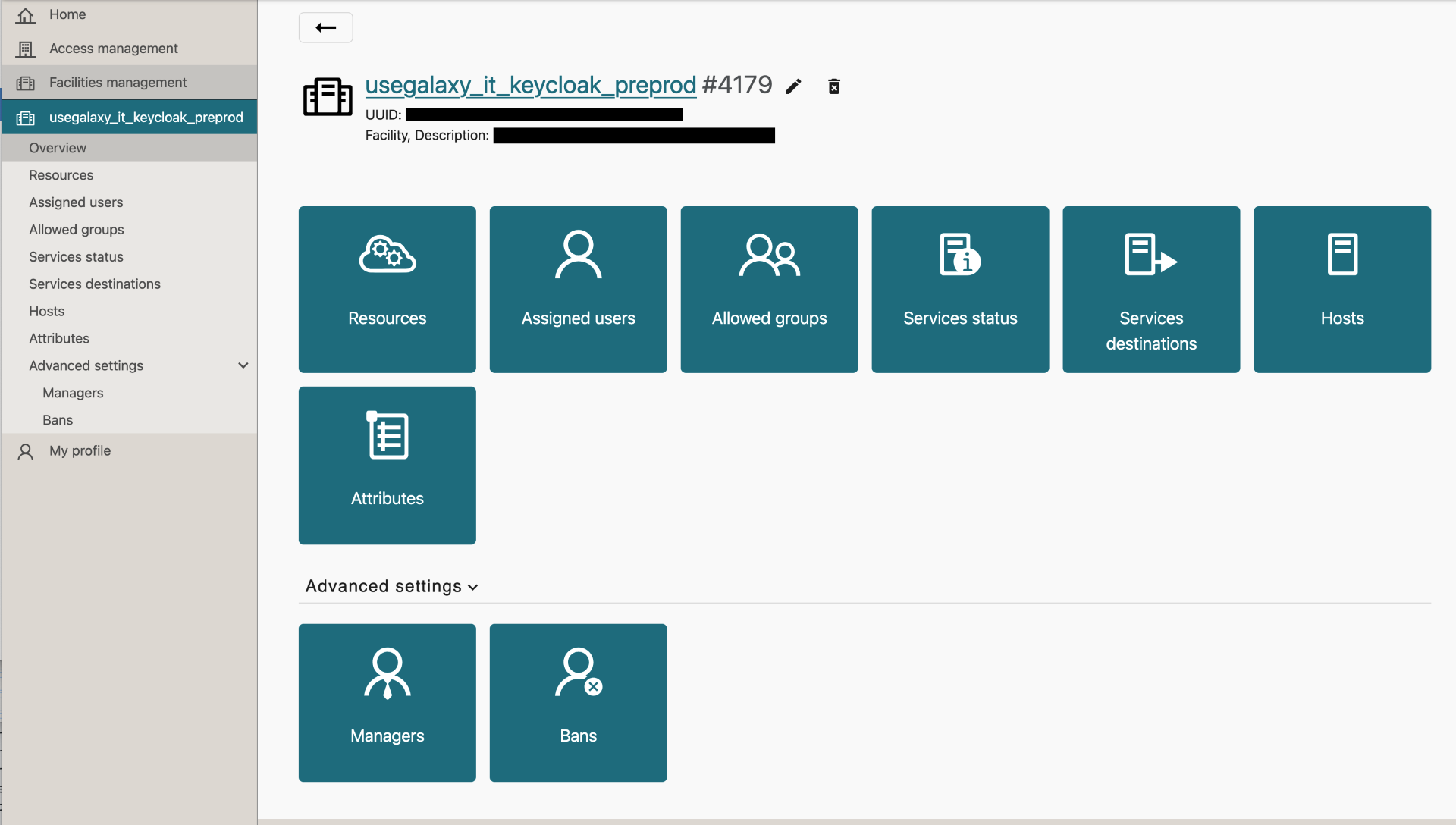
To allow a Virtual Organization to use your facility, you must create a Resource. This defines the specific Project environment.
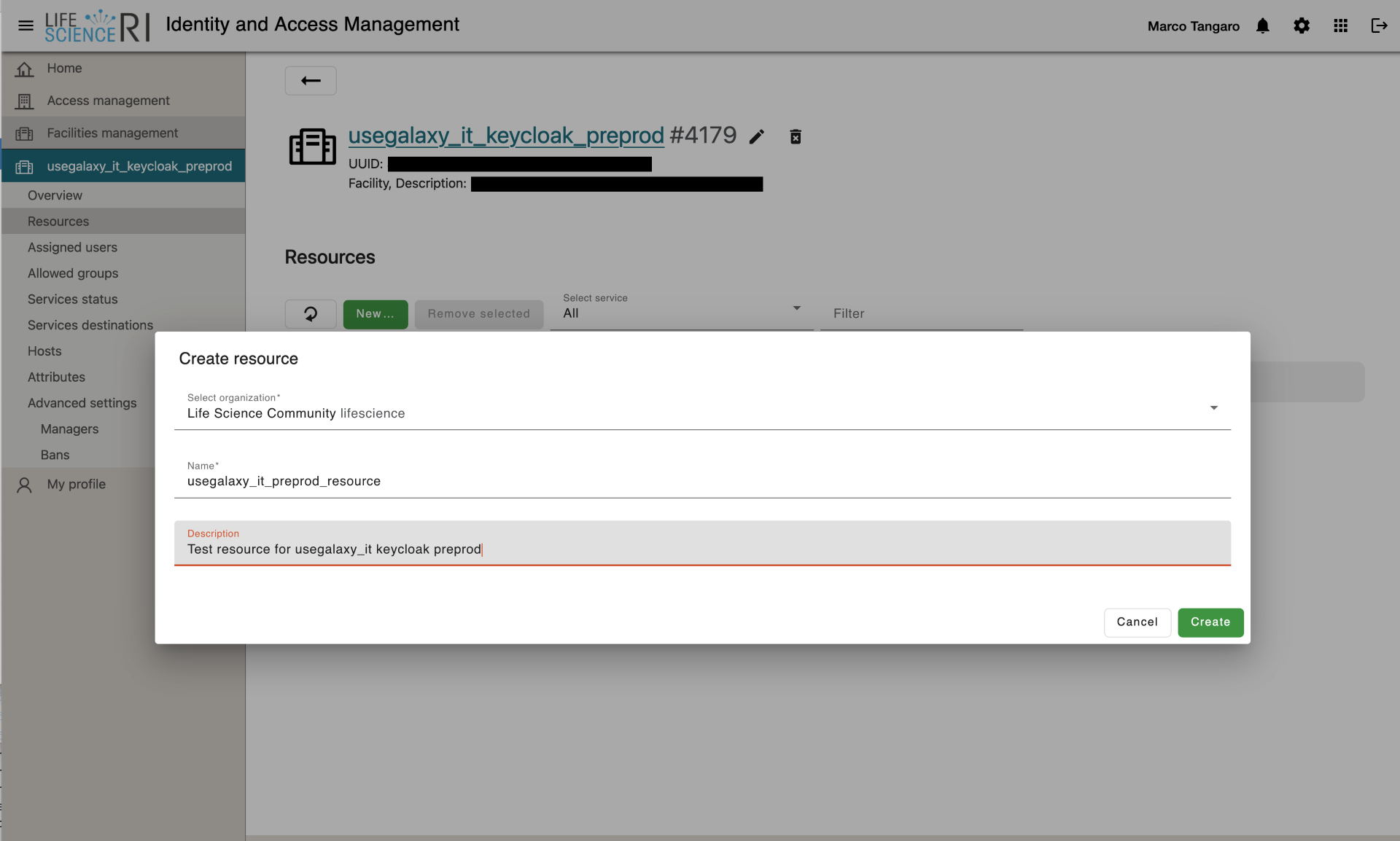
Once submitted:
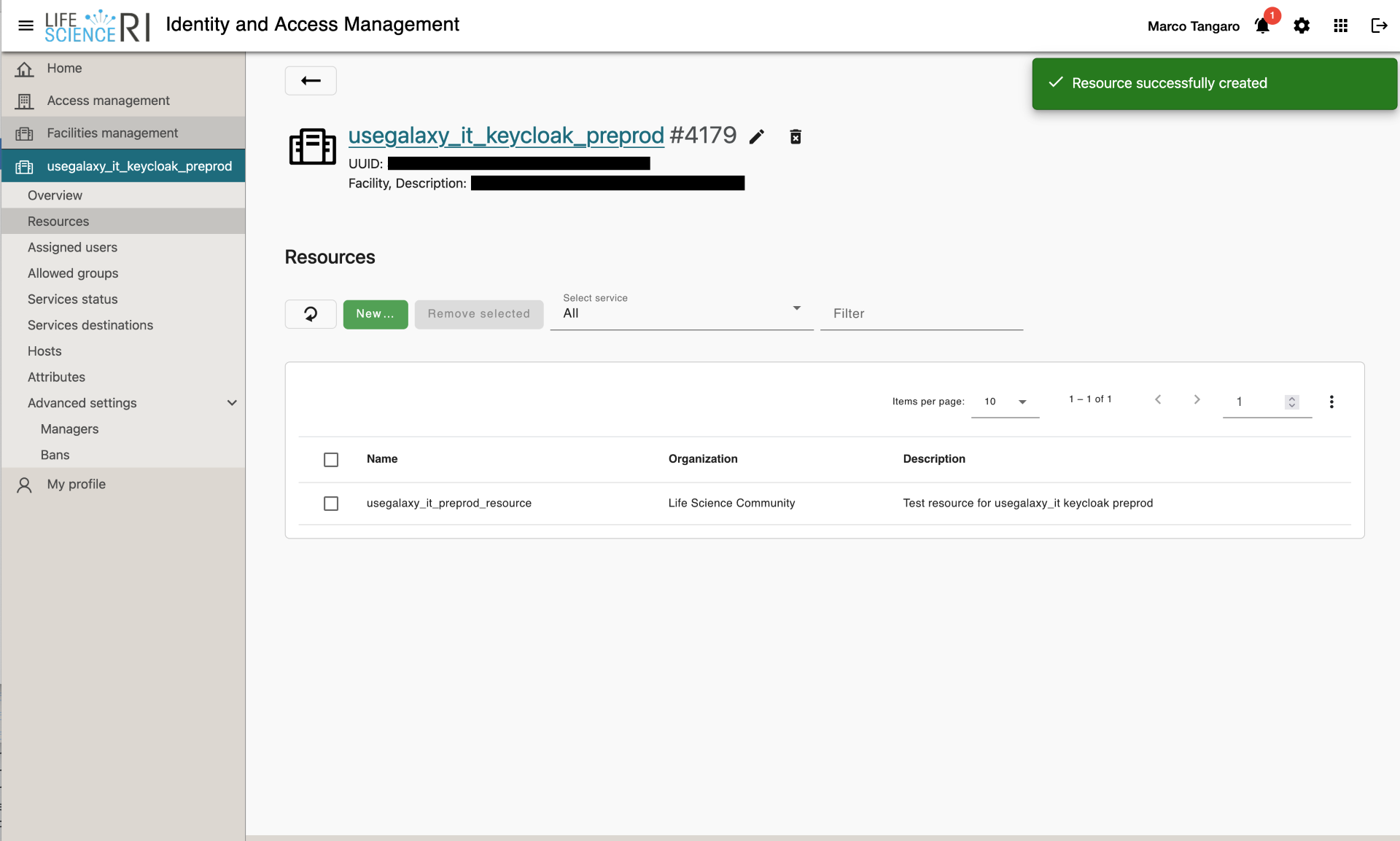
To finalize the workflow and connect specific user groups to your resource, you must contact the LS AAI support team via email: support@aai.lifescience-ri.eu.
Warning
To manage existing groups or modify user access as a Group Manager, please refer to the official: HERE
Authentication & Entitlements
Identity Providers (IdPs) expose user authorization data in different ways, some IdPs such as ReCaS IAM or AWS Cognito-embed group membership directly inside the access token as simple JSON attributes, for example:
{
  "sub": "1234567890",
  "name": "Mario Rossi",
  "group": "tester"
}
Other federated AAI providers, such as the Life Science Authentication and Authorization Infrastructure (LS AAI) and the European Grid Infrastructure (EGI), use a more structured mechanism based on the eduPersonEntitlement attribute, defined in the eduPerson schema.
EDUPERSON-ENTITLEMENT
In Research and Education federations, organizations exchange authorization information using standardized schemas such as eduPerson. The eduPersonEntitlement attribute expresses rights or memberships
assigned to a user. Extracting the group name is slightly more complex than reading a flat attribute because the information is encoded inside a URN.
Generic structure:
urn:<authority>:<domain>:group:<path>:<optional_role>#<qualifier>
Components:
urn:Uniform Resource Nameauthority:issuing authoritydomain:authority domaingroup:group identifierpath:subgroup or hierarchical pathrole:role inside the groupqualifier:IdP name or scope
This is not a location identifier; it is purely a structured authorization string.
We focus on EGI and LS AAI in this enviroment.
EGI
EGI group entitlements follow this schema:
urn:mace:egi.eu:group:<vo_name>:role=<role>#<aai-domain>
Main elements:
urn:mace:egi.eu:official EGI namespace<vo_name>:the VO or group namerole=vm_operator / role=member:the user’s VO role#aai.egi.eu:the authority qualifier
In our script, we currently ignore the role and extract only the VO/group name. This is fine for our use case, since role-based access is not needed.
EGI Check-in exposes two types of entitlements:
a) Resource entitlements (res):
These refer to backend services:
urn:mace:egi.eu:res:ggus.eu
urn:mace:egi.eu:res:gocdb#aai.egi.eu
urn:mace:egi.eu:res:rcauth#aai.egi.eu
These do not represent groups and are ignored by our script, because they do not provide useful authorization information for our purposes.
b) Group entitlements:
These contain the actual group (VO) and role information. Only these are used.
LS AAI
LS AAI expresses group-based authorization using this structure:
urn:geant:lifescience-ri.eu:group:lifescience:<subgroup/subdomain>:<service>#aai.lifescience-ri.eu
Unlike EGI, LS AAI does not encode roles inside the entitlement. All LS AAI group information is carried inside the <subgroup> or <subdomain> path and the <service> part.
Configuring eduperson entitlements on Keycloak
To simulate an environment like LS AAI or EGI Check-in, your Keycloak instance must be able to issue specific entitlements. In the Life Science context, these are typically formatted as URNs (urn:mace:usegalaxy.it:group:vo.usegalaxy.it:role=member#usegalaxy.it).
In this section we take a look on how to implement eduperson entitlement inside your Keycloak.
Note
While there are several ways to manage entitlements, this guide focuses on the manual User attribute method.
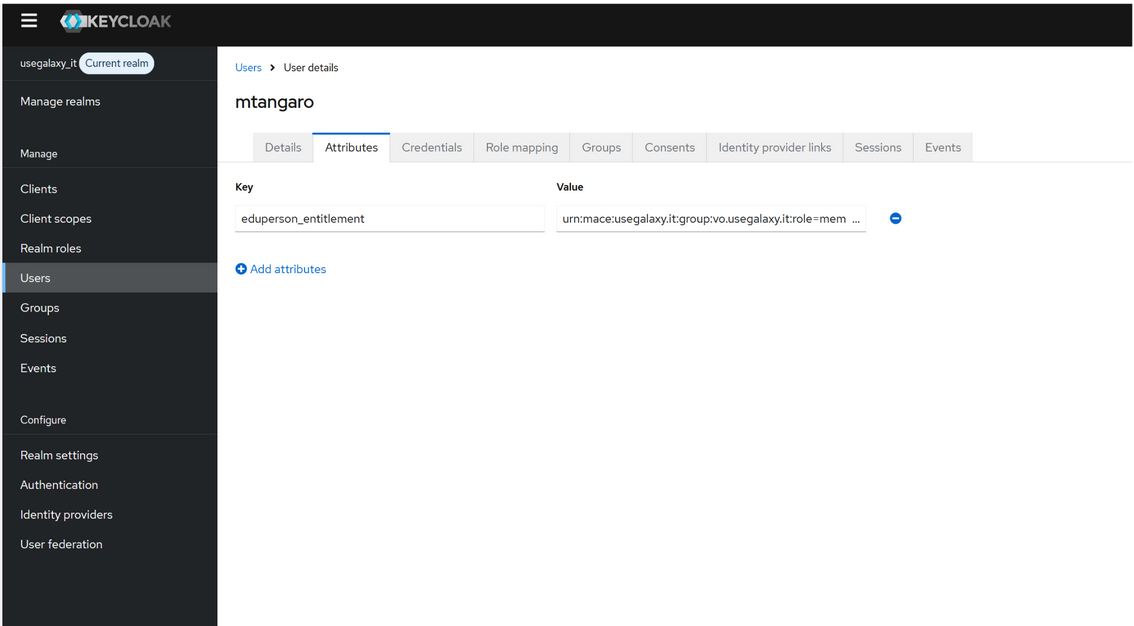
First, navigate to the Users section in the Keycloak admin console and select the user you wish to configure.
Go to the Attributes tab.
Enter the following key-value pair: * Key:
eduperson_entitlement(mandatory) * Value:urn:mace:usegalaxy.it:group:vo.usegalaxy.it:role=member#usegalaxy.it(Use your specific project URN).Click Save.
To ensure the entitlement is delivered correctly in the identity token, you must configure a Mapper.
Navigate to Client Scopes and select the eduperson_entitlement scope.
Go to the Mappers tab and click on your mapper configuration.
Ensure that Multivalued is set to ON.
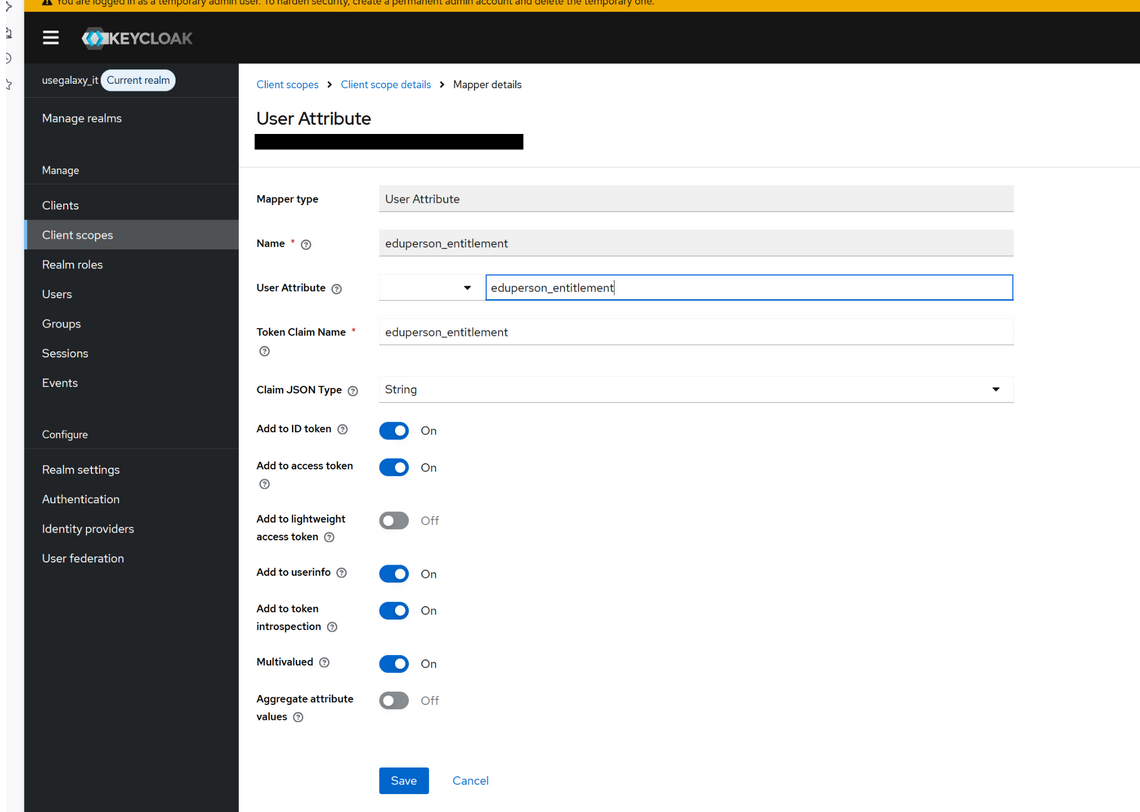
Warning
Enabling Multivalued is critical, this ensures that the eduperson_entitlement arrives as a JSON array matching the standard format.
Pam OAUTH2 module modification
Thanks to additional features added to the original pam_oauth2_device module implemented in this repository, it is possible to extract group membership from all IdPs described above, including those using eduPersonEntitlement (EGI and LS AAI) and those adopting groups directly in the token (IAM ReCaS, AWS Cognito).
The modified module can:
detect whether the IdP exposes groups through entitlements or token claims,
normalize the extracted group list,
return a unified group representation to PAM, making the authentication flow consistent regardless of the IdP.